6 Send and receive pictures in a conversation
1.Function introduction
You can send and receive pictures in a conversation.
- Desktop
- Mobile
2.Operation process
2.1 Send pictures in a conversation
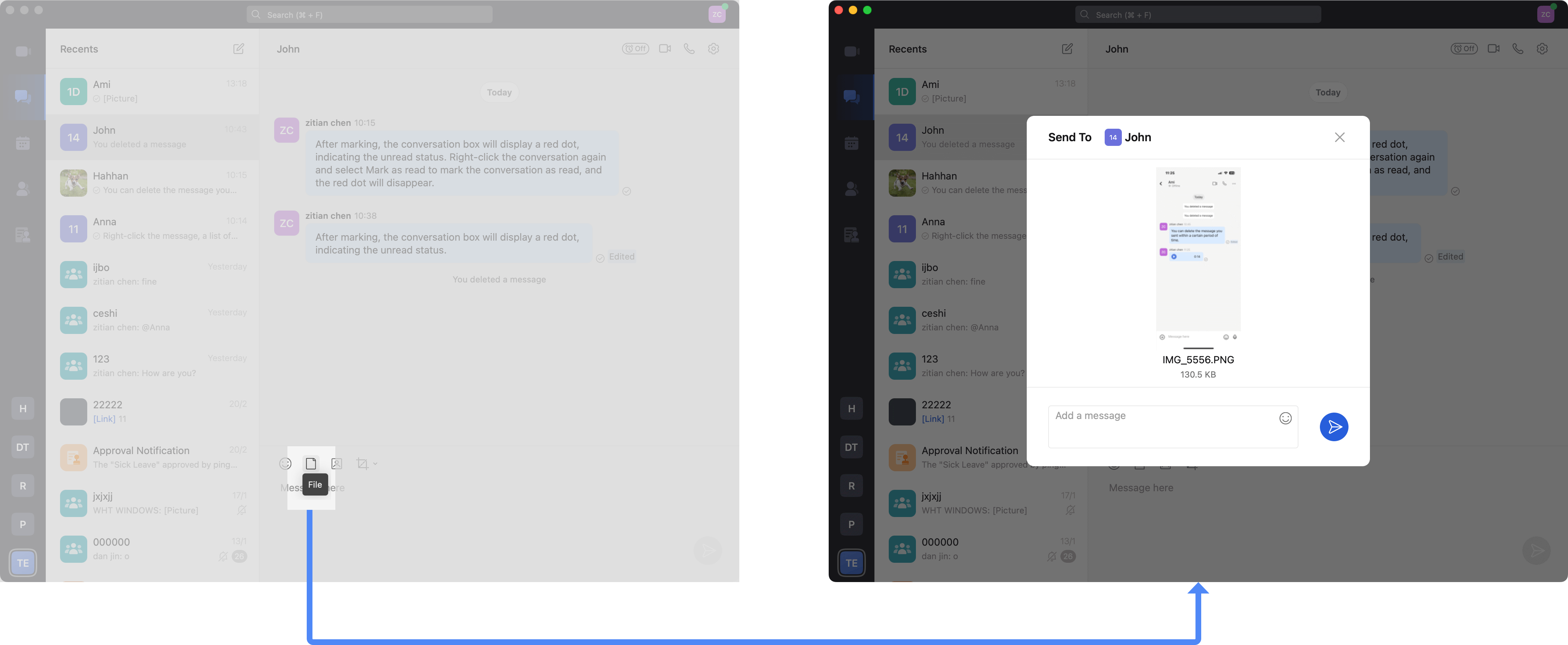
Click the input box to bring up more functions, click FIles, and then select the picture you want to send.
2.2 View all images in the conversation
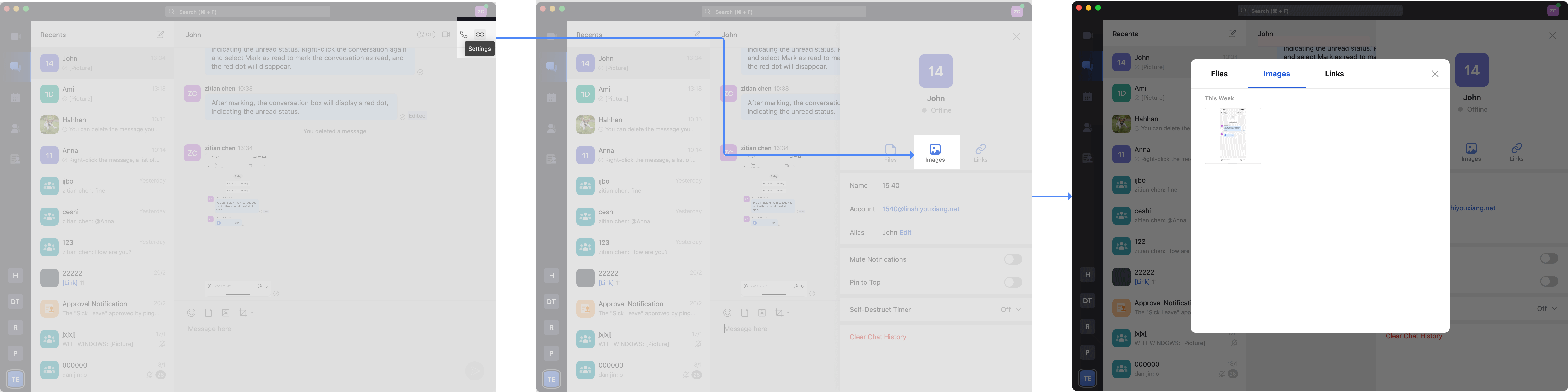
Click the Setting icon in the upper right corner of the conversation interface, click Images, and view all images in the current conversation.
Note: Images in messages in the past year are displayed by default.
2.Operation process
2.1 Send pictures in a conversation
You can click the picture icon in the message input box, select a picture from the album to send to the conversation, or take a photo and send it to the conversation.

2.2 View all images in the conversation
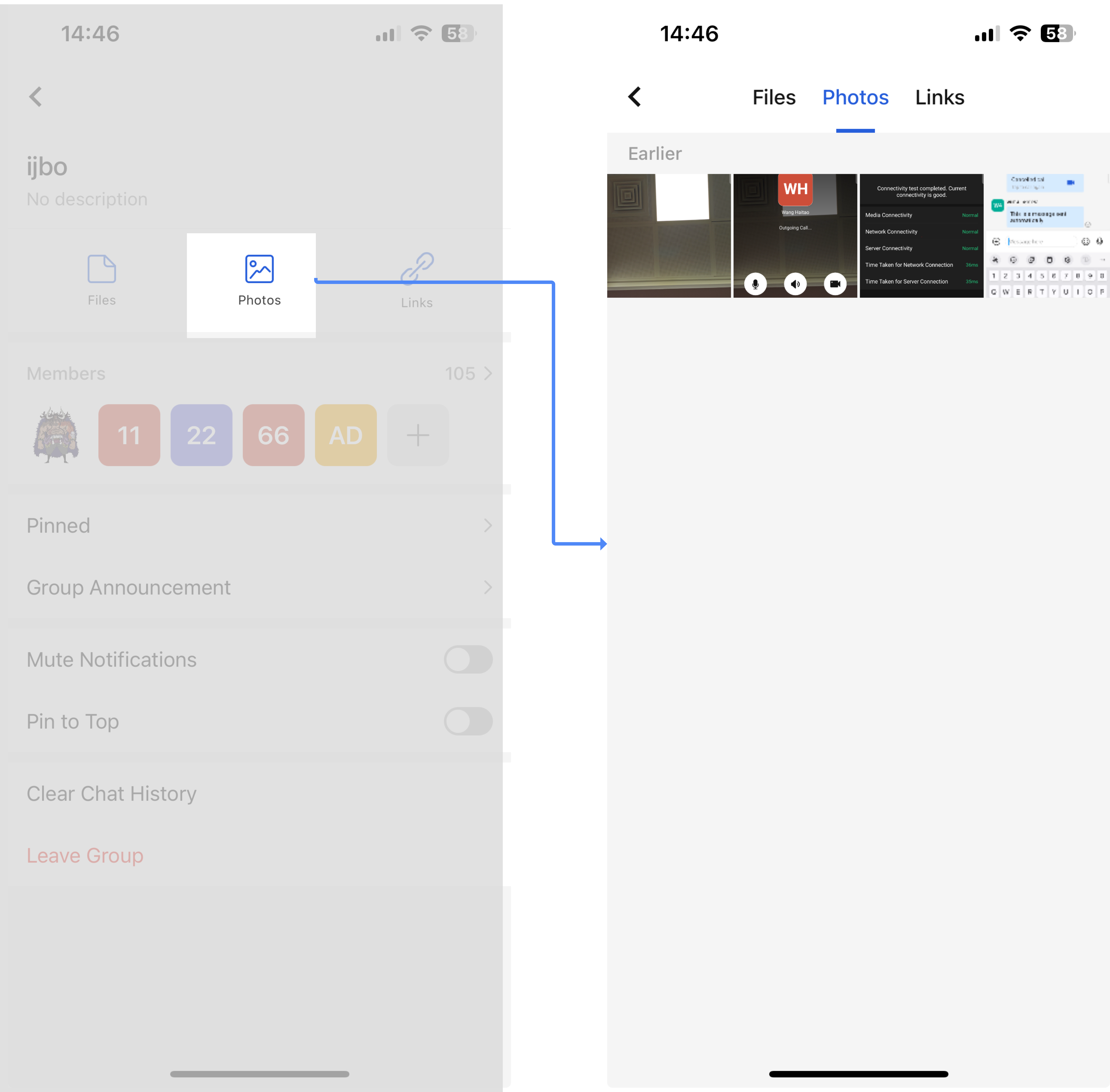
Click More Functions in the upper right corner of the conversation, find the Photos function, and view all pictures in the conversation.
3.Q&A
Q: Why is there no function to send and receive pictures?
A: The enterprise needs to enable this function from the Matrx management backend.